
macOS 15.6 and later
SFTP and FTPS downloads resume after you close the lid.
Start a 40 GB transfer, close the lid, and ByteByson resumes it until every file has arrived.
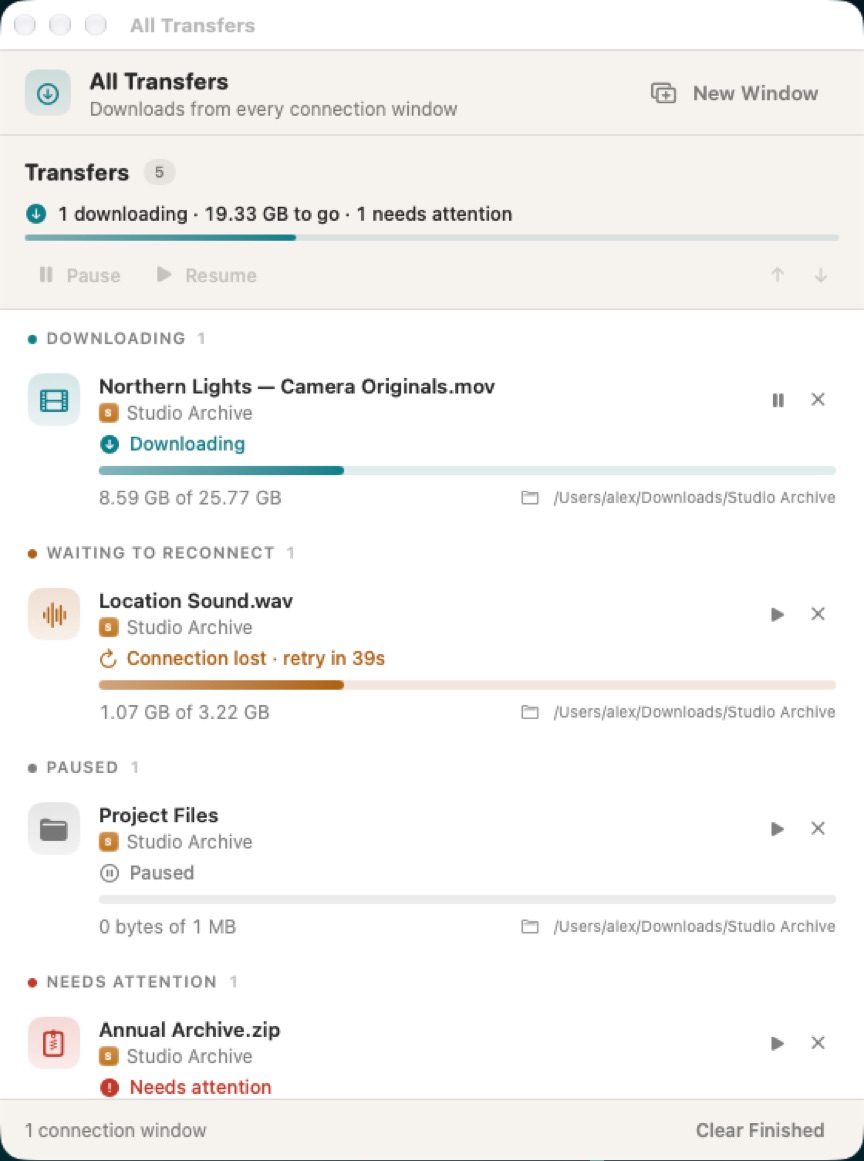
Unfinished downloads resume
Closing a window keeps downloads running. Quitting stops the app. Opening it again resumes unfinished work, each window on the folder it was browsing, and All Transfers with them if it was open. Paused work stays paused. ByteByson does not install a background service.
An accepted download appears in its destination as a visible .partial file, with progress in Finder, and takes its final name when it finishes. Removing the transfer deletes the partial file it owns.
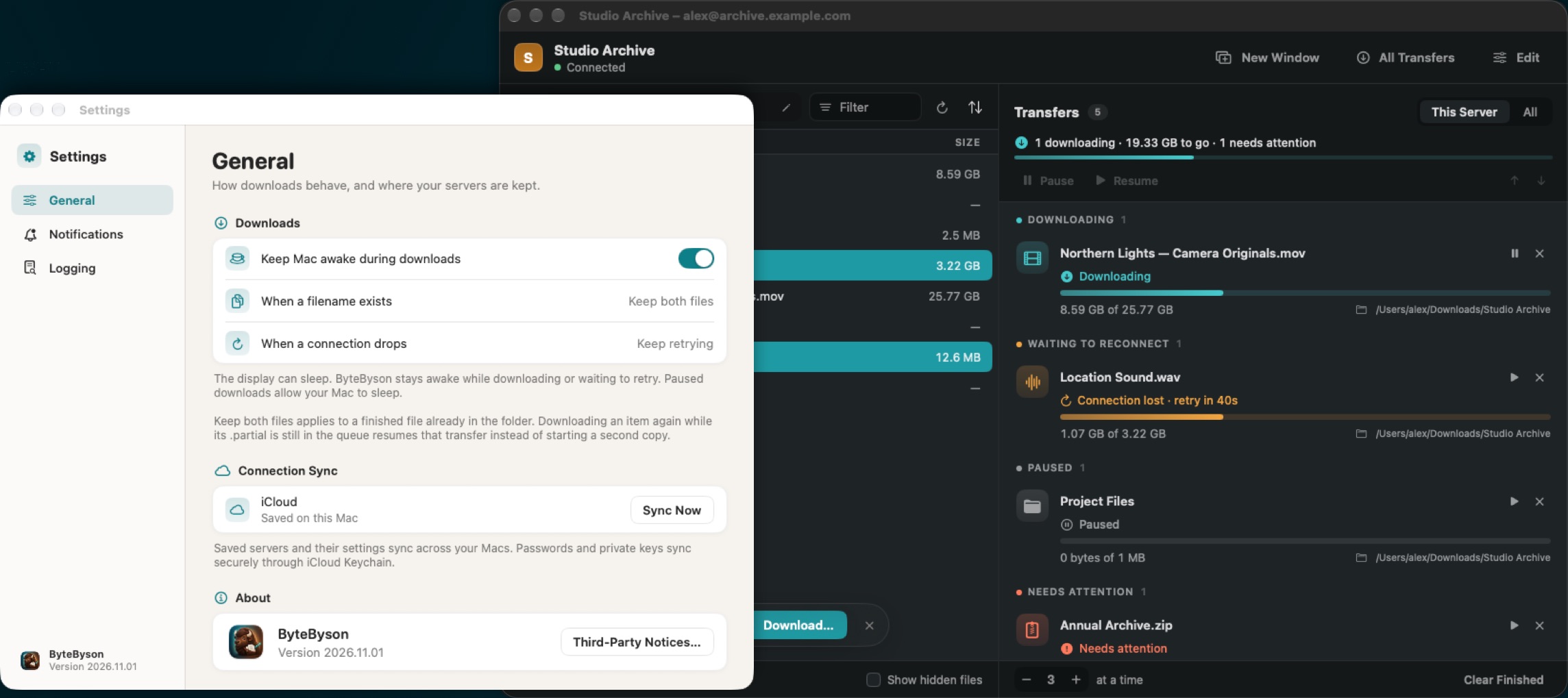
Retries wait 5 seconds, then 15, 30, and 60, and further retries stay at 60 seconds. Waking the Mac, or a network change, retries sooner. ByteByson can keep the Mac from idle sleep while a download is running or waiting to reconnect.
SFTP, and FTP over TLS
- SFTP with a password, an imported OpenSSH Ed25519 key, including a passphrase-protected key, or an unencrypted PEM ECDSA key on P-256, P-384, or P-521.
- Explicit FTPS, normally port 21, which upgrades with AUTH TLS. Implicit FTPS, normally port 990, which starts with TLS. Custom ports work. FTPS uses a password.
ByteByson asks you to approve the SSH host fingerprint. Control and data connections require TLS 1.2 or newer, and both certificates are checked. There is no plaintext fallback.
A certificate that cannot be verified shows the server, the subject and issuer, the validity dates, and the SHA-256 fingerprint. Trust and Connect saves that approval for the server address, port, and FTPS mode. A replacement certificate asks again.
Saved connection settings sync across your Macs, including edits made offline. Passwords and private keys sync through iCloud Keychain.
A queue in each connection window
Each window is a remote file browser and a resizable transfer queue. There is no local file browser. Download… (⌘D), the arrow on a row, or a drag into Finder starts the work. A folder is one transfer and downloads its children in order. This version does not upload.
The queue pauses, resumes, reorders, removes, and restarts transfers, and reveals them in Finder. All Transfers keeps work whose window was closed. Each window has its own limit on how many transfers run at once, including two windows on the same saved server.
Downloading an item again while it is still queued resumes that transfer. A finished file already in the folder stays, and the new copy gets a numbered name. Listings sort by name, size, or date, folders and files together. A filter beside the path narrows the listing as you type.
Platforms
Mac
macOS 15.6 Sequoia and later.
Where to get it
Mac App Store, TestFlight, or a direct download.
The direct build updates itself. Check for Updates… is in the ByteByson menu, and Software Update is in Settings → General.
Sign in with Apple in a released version starts a 30-day trial. After it ends, new downloads need a purchase. A download already accepted can finish, resume, and retry.